Advanced Signals
Advanced Signals is the multi-timeframe confluence engine inside mrD-Signals Premium — it filters Waves Trend signals through higher-timeframe confirmation across three factors (direction, alignment, efficiency) and prints STRONG (3/3) or NORMAL (2/3) triangles. Non-repainting, auto-HTF, designed for quality over quantity.
Advanced Signals is the multi-timeframe confluence engine on top of Waves Trend. It takes the base Waves Trend signal and only lets it through when a higher timeframe (HTF) agrees across multiple factors. The output is fewer signals than Waves Trend, with a meaningfully higher base rate per signal.
The design principle is the classic trading rule: trade with the higher-timeframe trend. This module automates that — you only watch one chart, the system reads the HTF for you.
 Advanced triangles ride on top of Waves Trend. Fewer signals, higher quality per signal.
What this module does
The pipeline is straightforward:
- Start from a Waves Trend signal — already filtered through Waves Trend's six quality layers.
- Read the higher timeframe — auto-detected, typically 4 to 7 times the chart timeframe.
- Score three HTF confluence factors — direction, alignment, efficiency (see below).
- Suppress unless 2/3 or better — the rest are dropped.
- Label the survivor — STRONG (3/3) or NORMAL (2/3).
The net effect is roughly 30 – 50% fewer triangles than plain Waves Trend, with a higher base rate per signal because the surviving signals are the ones that agree across timeframes.
Auto-HTF — no manual selection
The HTF is auto-detected from the chart timeframe. The mapping targets a 4× to 7× ratio (chart × ~4-7) — far enough above the chart to filter noise, close enough to stay relevant.
You do not pick the HTF — you just switch chart timeframe and the HTF reference updates. Manual override is intentionally not exposed; the auto ratio is tuned to work consistently across assets.
The three confluence factors
The HTF score is built from three independent reads:
- HTF trend direction. Which way is the higher timeframe trending? A signal that points against HTF direction scores 0 on this factor.
- HTF trend alignment. Where is price within the HTF range filter and EMA stack? A signal that prints inside aligned HTF structure scores 1.
- HTF trend efficiency. Is the HTF actually trending, or chopping? An "efficient" trend score blocks periods where the HTF is also choppy — the worst environment for any signal to succeed.
Each factor contributes one point. The signal threshold is 2/3; the STRONG tier requires 3/3.
STRONG vs NORMAL — the two tiers
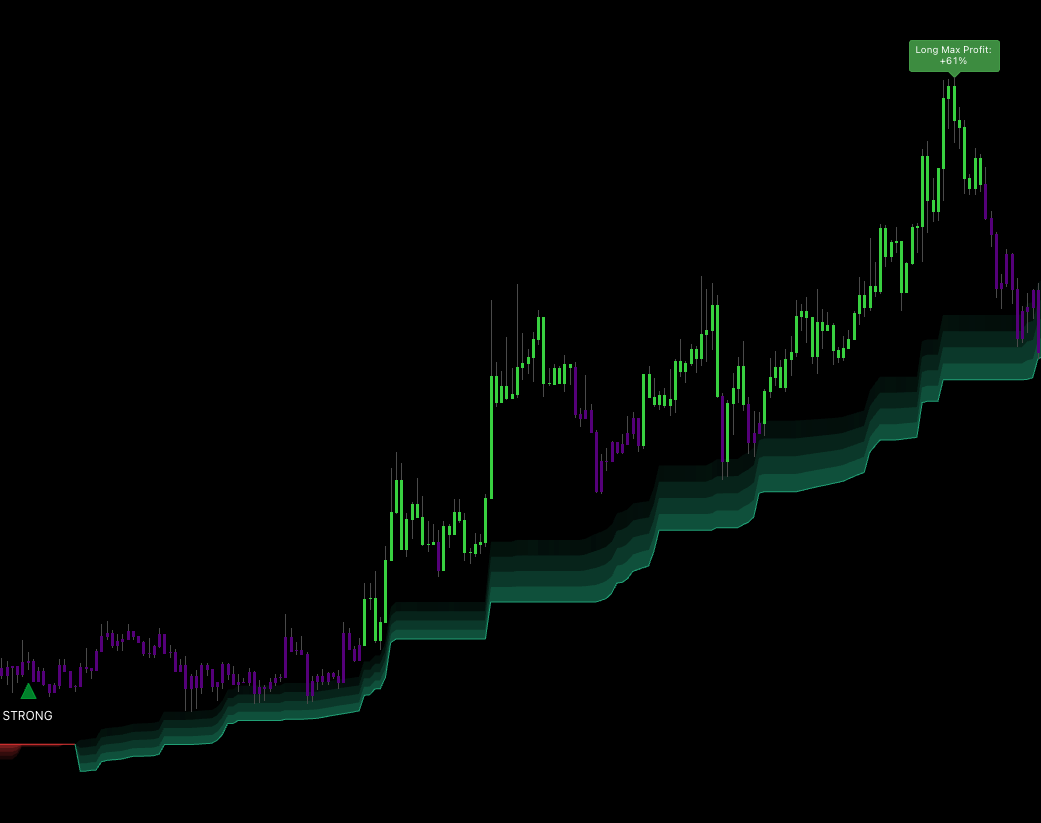 STRONG triangle: all three HTF factors agreed. The largest, most explicit label the module prints.
STRONG (3/3 confluence)
- Solid, larger triangle with explicit "STRONG" label.
- Dark green (BUY) or dark red (SELL).
- The highest-conviction signal the study issues.
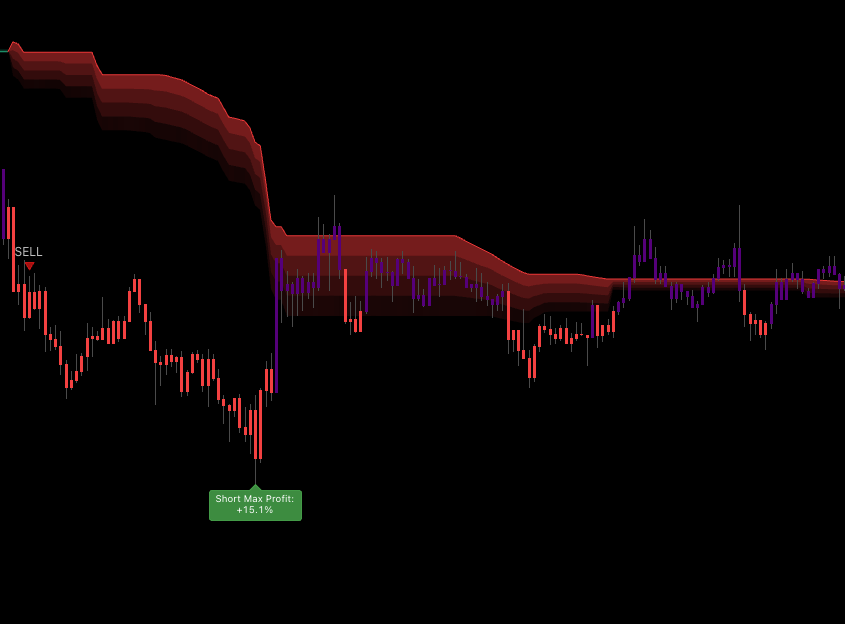 NORMAL triangle: 2/3 factors agreed. Still a good setup — one factor is dissenting.
NORMAL (2/3 confluence)
- Lighter, smaller triangle with a plain "BUY" or "SELL" label.
- Still a good setup; one of the three factors is dissenting.
Sizing by tier
| Tier | Suggested base size | Required R:R |
|---|---|---|
| STRONG | 100% of planned size | ≥ 1:2 |
| NORMAL | 75% of planned size | ≥ 1:2 |
These are starting templates; adapt to your own risk model.
Non-repainting
The module uses look-ahead-off semantics — signals lock in when the bar closes and do not change afterward. A NORMAL or STRONG label visible on a closed historical bar will not be removed by future price action.
When to use Advanced Signals
Use when
- You are a swing or position trader (chart timeframe ≥ 15m).
- You prioritise quality over quantity of signals.
- You cannot monitor charts continuously and need each alert to count.
- You trade noisy assets (small-cap stocks, lower-cap crypto, exotic FX) where the HTF filter genuinely lifts the base rate.
Skip when
- You are scalping on 1m — Advanced will give too few signals to be useful.
- You want to catch every small wave — use Waves Trend directly.
- HTF data is missing (newly listed asset, holiday with partial data) — Advanced should sit out those days.
Advanced vs Waves Trend at a glance
| Criterion | Waves Trend | Advanced |
|---|---|---|
| Signal count | Average | 30 – 50% fewer |
| R:R target | ≥ 1:1.5 | ≥ 1:2 |
| Best chart TF | 5m – 1D | 15m – 1W |
| Need to watch two charts? | No | No (auto HTF) |
| Lag | Low | Slightly higher (HTF is slower by definition) |
| Best fit | Active trader | Swing / position |
You can run both on the same chart — flip between them to see which mode the dashboard reports the higher base rate for on the asset you trade, then commit to that mode.
Recommended baseline setup
- Pick the chart TF that matches your style — day trade 15m / 1H, swing 4H, position 1D.
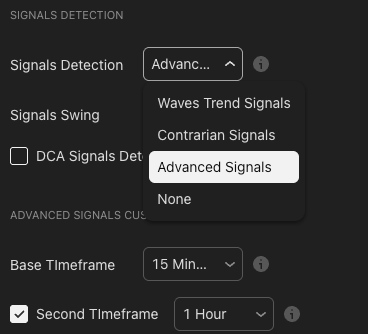
- Set Signals Detection to
Advanced Signals. - Set Signals Swing profile to
Mid-Termas the starting default (Advanced respects the profile setting on the underlying Waves Trend filter). - Optional — enable Trend Cloud and use it as the final visual filter; only act when the cloud colour matches the triangle direction.
Pre-entry checklist
Walk this before clicking enter:
- Triangle is STRONG or NORMAL (you have decided which tiers you trade).
- Bar colour matches the triangle direction.
- Trend Cloud (if enabled) agrees.
- No major scheduled event in the next hour (FOMC, CPI, earnings).
- R:R is at least 1:2 with a reasonable stop placement.
Scoring:
- STRONG + 4/4 yes → A+ — full size.
- STRONG + 3/4 yes → A — 75% size.
- NORMAL + 4/4 yes → B+ — 50–75% size.
- NORMAL + ≤ 2/4 yes → skip.
Trading workflow
- Wait for the triangle. STRONG is the optimal setup; NORMAL is the good-enough setup.
- Entry. Market on the signal bar's close, or limit at a small pullback toward the nearest EMA.
- Stop. Beyond the nearest swing low / high, or ATR-based.
- TP 1 (1/3). 1R — secures capital if the move reverses.
- TP 2 (1/3). 2 – 3R — the bulk of trade profit lives here on swing TFs.
- TP 3 (1/3). Trail via the Trend Cloud's base line — capture the full wave if the trend extends.
- Exit triggers. Bar colour flips against the trade direction, or an opposite-direction Advanced triangle prints.
Tips to improve outcome
Trade only STRONG when starting
Use only STRONG for the first 50 to 100 trades to build feel for how Advanced behaves on your watchlist. Once you have a baseline, expand to NORMAL with the smaller size noted above.
Sit out holidays and major event days
Advanced relies on HTF data continuity. On thin holidays (US / EU holidays, Lunar New Year for crypto-adjacent assets), HTF bars can have meaningful gaps — confluence reads become unreliable. The right move is to stay out, not to "trade the noise".
Pair entry with Contrarian as an exit signal
A clean workflow some users adopt:
- Entry — Advanced triangle (quality controlled).
- Exit — when an opposite-direction Contrarian triangle prints, close the position. The Contrarian filter says a reversal is forming, which is the cleanest exit you will get.
Track win rate per asset on the dashboard
The dashboard shows the historical Advanced win rate on the current symbol. Different assets favour different modes — Advanced may shine on BTC and underperform on a smaller-cap altcoin. Trade Advanced where the dashboard reports it actually fits the asset.
Do not chase after missing a STRONG
A STRONG signal that has already moved is gone. Chasing entries late is the fastest way to drop your effective win rate. Wait for the next pullback, or the next STRONG.
Beware back-to-back opposite STRONGs
If a STRONG BUY is followed shortly by a STRONG SELL, the HTF is flipping hard — neither direction is committed. The disciplined move is to sit out until one direction holds for several bars.
Common questions
Q. What HTF does the system use for a 1H chart? Roughly 4 – 7× — so 4H is the typical mapping. You do not see the 4H chart, but the engine reads it.
Q. When can the HTF data go missing? Newly listed assets, the beginning of a trading session (insufficient HTF bars built up), or large data gaps. In those cases Advanced fires less — that is correct behaviour, not a bug.
Q. Can I pick a different HTF manually? Not in the current build — HTF is fixed auto-detect to keep behaviour consistent across users and avoid mis-configured ratios. The chosen ratios are tuned to work for most assets.
Q. Why am I seeing very few signals? By design — Advanced is the "fewer but better" mode. If you need more signals, switch to Waves Trend, drop to a lower TF, or pick a more-volatile asset.
Q. Is a STRONG triangle guaranteed to win? No. Nothing is. STRONG has a higher historical base rate but can still fail — markets are not deterministic. Risk management remains the primary edge.
Common mistakes
- Treating NORMAL as a STRONG. They have different base rates and different recommended sizes. Respect the tier.
- Chasing missed STRONGs at market. Wait or skip.
- Trading Advanced on 1m. The HTF ratio means HTF lag dominates the read. Use Waves Trend at that timescale.
- Disabling Trend Cloud "to see signals better". Same trap as with Waves Trend — the cloud is the cheapest filter.
Where to go next
- Waves Trend Signals — the engine Advanced is built on top of.
- Trend Cloud — visual regime filter to combine with Advanced triangles.
- Statistics Dashboard — read the historical Advanced win rate per asset before committing size.
- Alerts — fire push / webhook on each STRONG (and optionally NORMAL).
- Overview — back to the study overview.